Collect
Each client contact gets a personal link with no password: a list of what is missing and a button that opens the phone camera. Documents your clients keep in Doklado come in on their own.
- Personal link
- Phone camera
- Doklado
- PDF, JPG, HEIC
Clients photograph receipts in their own link, bank statements come in as CSV, camt.053 or PDF, and documents your clients keep in Doklado sync on their own. Pairanha pairs them with the payments and reminds each client of exactly what is still missing.
14 days free. No card required.
Speaks the formats and numbers you already use
Why Pairanha
The month closes. The bank sends a statement, the client sends a few photos, and somebody at your firm spends days working out which receipt belongs to which payment. Pairanha pairs them, shows why, and asks clients only for what is really missing.
What it does
Four parts that work together for every client of your firm.
Each client contact gets a personal link with no password: a list of what is missing and a button that opens the phone camera. Documents your clients keep in Doklado come in on their own.
Import statements as CSV, camt.053 or PDF, Windows-1250 and decimal commas included. A PDF is read by AI and checked against its printed balances, and an overlapping statement never counts a payment twice. With a company key, payments also sync from Doklado.
Variable symbol, amount, IBAN, supplier name, dates, and card payments in another currency. Sure matches are made automatically; the rest are suggested with the reason beside them.
Emails in your firm's name list exactly which payments still have no document, on a schedule you set. Switch automatic reminders off for any client and still send one by hand.
Inside Pairanha
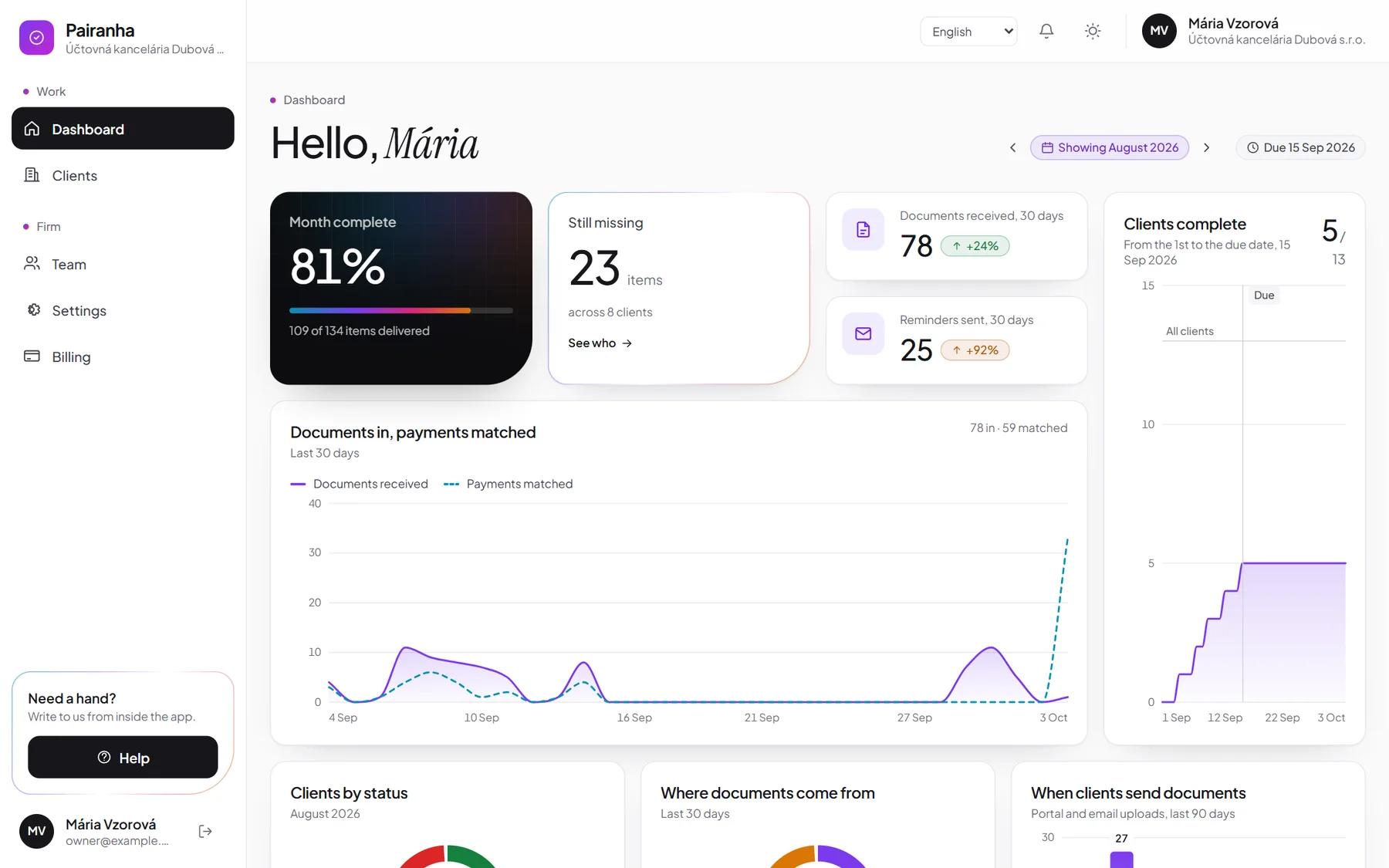
How complete the month is, what is missing and at which clients, documents in against payments matched, and who is done before the due date.
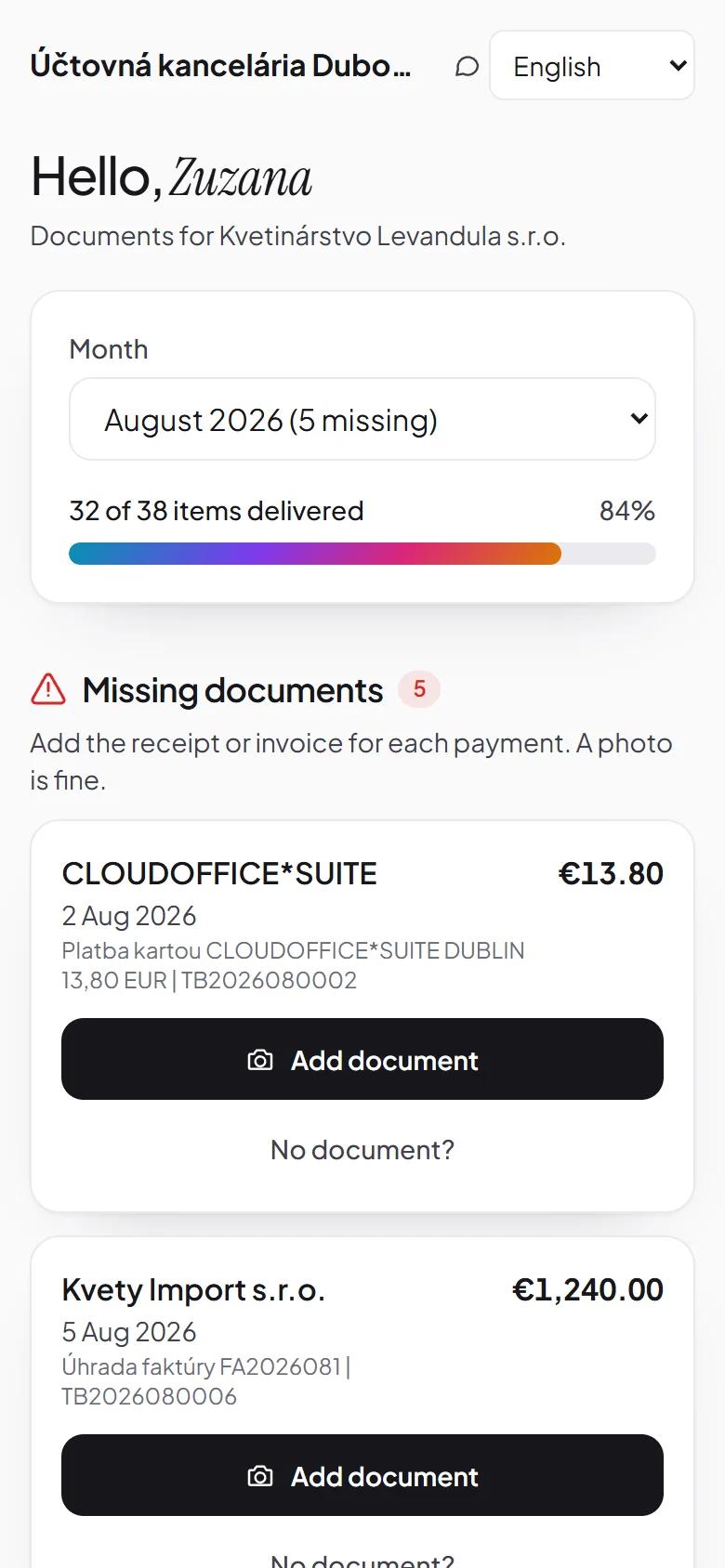
What is missing, one button per payment, and the camera a tap away. No app to install and no password.
What's new
Connect a SuperFaktura login and link clients to their companies. The invoices they issue, with the PDF, and the expenses they record, with the scan, come in about every six hours. Pairanha only reads; nothing changes in SuperFaktura.
Connect a Doklado API key and link clients by IČO. Their invoices and receipts come in every hour, and with the company's own key its bank payments too. Pairanha only reads; nothing changes in Doklado.
Automatic reminders are on for every client by default. Switch them off for anyone you would rather not remind, and still send one by hand.
Month completeness, clients complete towards the due date, documents received against payments matched, and where documents come from.
The app and the database run in Frankfurt, and every subprocessor is listed publicly.
Each colleague works in their language, and each client contact gets theirs.
IČO, DIČ and IČ DPH, payment symbols, Windows-1250 files and decimal commas.
Download a month as a ZIP of documents with a CSV index, or as XML to import into Pohoda.
The owner downloads everything in one file, and a client's data can be exported or erased on request.
Each pairing shows why: the symbol, the amount, the account or the name that agreed.
Pricing
€5
A firm with 10 clients pays 10 × €5, with 20 clients 20 × €5. At least 5 clients, so €25 a month.
Getting started
Create the firm and invite colleagues as admins or accountants.
IČO, contacts and bank accounts. The bank is recognised from the IBAN.
Import the bank statement or link Doklado, and payments are paired with documents.
Each contact gets their link, and reminders list what is still missing until the month is complete.
FAQ
€5 per client per month excluding VAT, at least 5 clients (€25). The first 14 days are free, with no card. Colleagues are included.
Yes. The firm connects a SuperFaktura login, its own or a client's, and links clients to their companies. Issued invoices and expenses with their scans come in about every six hours. Pairanha only reads from SuperFaktura and never changes anything there.
Yes. The firm connects a Doklado API key and links clients by IČO. Invoices and receipts come in every hour, and with a key of the company itself its bank payments too. Pairanha only reads from Doklado and never changes anything there.
The application and its database run in Frankfurt, in the EU. Every subprocessor, and where it keeps data, is on the subprocessors page.
Reading invoices and receipts uses Anthropic's API, which processes them in the United States under standard contractual clauses. Anthropic is listed as a subprocessor, and every value it reads can be corrected by hand. Documents that come from Doklado arrive already read.
Yes. Automatic reminders are on for every client by default, and one switch on the client page turns them off. You can still send a reminder by hand.
Yes, at any time. The owner of the firm can download everything as one file from the settings page.
Slovak, Czech and English, for each colleague and each client contact separately. The legal documents are in English for now.
A small company in Slovakia. When you write to support, a person who can change the product replies.
14 days free. No card required.
Start free